- Update your device software to the latest version.
- Ensure your device is connected to the internet via Wi-Fi or mobile data. Without a connection, the download will fail.
eSim Service
What is an eSIM?
An eSIM is a digital SIM built into your device that does not require a physical SIM card. After subscribing to a mobile plan, you can activate the eSIM on your device remotely through the operator.
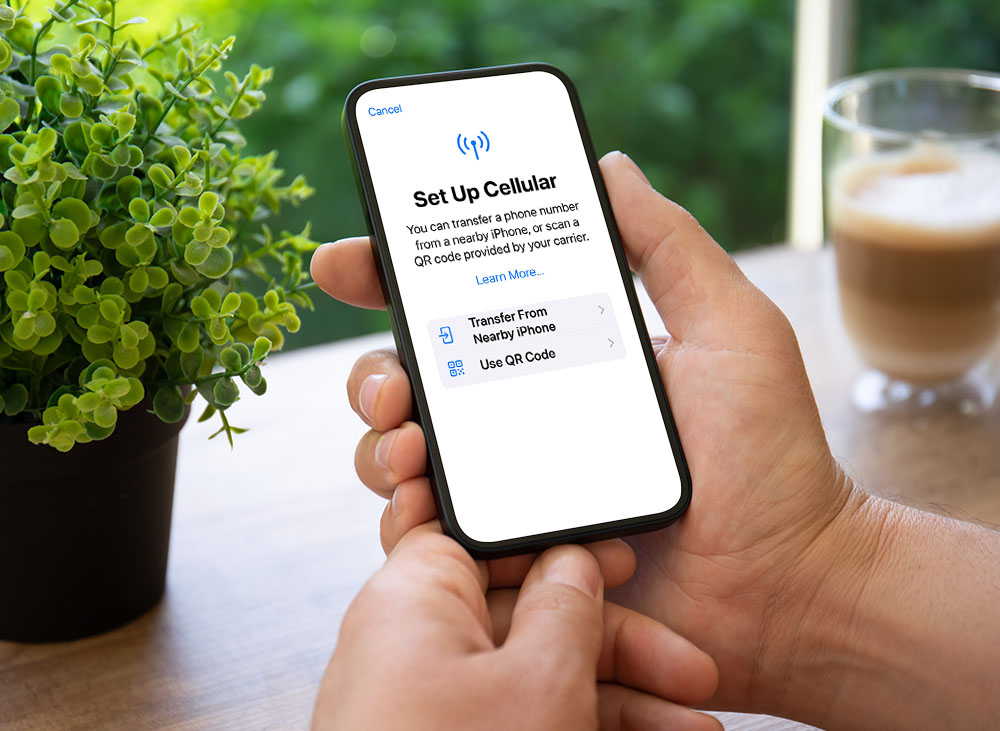
Why eSIM?
Switch mobile numbers through software without replacing a physical SIM card.
Enhanced security—no risk of loss or unauthorized use of a physical card.
Store multiple eSIM profiles on one phone. On iPhones, the Dual SIM feature allows the use of both a physical SIM and an eSIM simultaneously. iPhone 13 models and later also support Dual SIM with two eSIMs.


Application and Fees
Postpaid Users
For new applications or eSIM replacements, please visit a FarEasTone retail or franchise store with two valid forms of identification.
Prepaid Users
For new applications, please visit a FarEasTone retail store with two valid forms of identification.
For eSIM replacements, please visit a FarEasTone retail or franchise store with two valid forms of identification.
Service Fee
Setup Fee: NT$300 per instance
The setup fee is waived during the promotional period for the following:
1 New activations, number portability, or contract renewals with a device plan
2 First-time eSIM applications
3 Purchases of a handset at a FarEasTone store
4 eSIM transfers due to device repair at a FarEasTone store
5 VIP members are eligible for free SIM replacement twice a year (including physical SIM and eSIM)
Compatible Devices
Check the list of devices compatible with FarEasTone’s eSIM service. More models will be added over time.
eSIM Carrier Activation Service
Learn more about eSIM Carrier Activation Service.
Which Device Models Are Compatible with eSIM?
The following models sold by FarEasTone support eSIM (for reference; please confirm with the official manufacturer):
Apple:iPhone XR, XS, XS Max and later; iPhone SE (2020 and later); Apple Watch Series 3 and later, Watch SE, Watch Ultra; iPad (2019 and later), iPad mini (2019 and later), iPad Air (2019 and later), iPad Pro (2018 and later); Please ensure that the iOS version is updated to 12.2 or above.
Fairphone: Fairphone 4
Google: Pixel 4 series and later; Google Watch
OPPO: Find N2 Flip, Find N3 series and later
Samsung: Galaxy Z Flip, Galaxy Watch 3 and later, Galaxy Tab S9 series and later
Sharp: AQUOS sense7 series and later
vivo: X90 Pro / X100 Pro and later (X90, X100 not supported)
Xiaomi: 12T Pro, 13/13T series and later, Redmi Note 13 series and later
Motorola: Razr 50
eSIM Carrier Activation Service
Service Overview
This service links your device’s EID at the time of application. Once your device is powered on and connected to Wi-Fi, the system will automatically push an eSIM download notification, allowing you to install it.
This service links your device’s EID at the time of application. Once your device is powered on and connected to Wi-Fi, the system will automatically push an eSIM download notification, allowing you to install it.
Supported Devices
Currently available for eSIM replacements on iPhone and iPad.
Currently available for eSIM replacements on iPhone and iPad.
Application Process
Provide your device’s EID to the FarEasTone store staff for scanning and processing.
Provide your device’s EID to the FarEasTone store staff for scanning and processing.
How to Find the EID
1 Check the packaging box of your device.
2 Dial *#06# on your device.
Compatibility
1 iPhone: iPhone XS, XS Max, XR, and later (China versions do not support eSIM; some Hong Kong and Macau models support it). Requires iOS 12.2 or later.
2 iPad: Wi-Fi + Cellular models including iPad Pro 11-inch (1st gen and later), iPad Pro 12.9-inch (3rd gen and later), iPad Pro 13-inch, iPad Air (3rd gen and later), iPad (7th gen and later), iPad mini (5th gen and later).
Required Identification for eSIM Application
Primary ID (original copy, one of the following):
Passport
Alien Permanent Resident Certificate (APRC)
Entry/Exit Permit (for travelers from Mainland China, Hong Kong, or Macau)
Secondary ID (original copy, one of the following):
Alien Resident Certificate (ARC)
National Health Insurance Card
Taiwan Work Permit
Taiwan Driver’s License
Visa
Entry/Exit Permit
Additional Requirements:
Applicants must be at least 18 years old.
All identification documents must have at least six months’ validity remaining from the date of application.
For first-time applicants with FarEasTone, a photo will be taken at the store as required by regulations.
FAQ
Important reminders before downloading an eSIM
How to apply for an eSIM for original Aisa Pacific Telecom (APT) users
- If you are an original APT user with an eSIM, you may continue to use it after the merger effective date. If your current device uses a physical SIM card and you wish to switch to an eSIM, you may still apply. Any future service discontinuation plans will be announced separately.
- When an original APT user transfers to a new FET plan and replaces the SIM card at a physical store, those who simultaneously apply to switch from a physical SIM to an eSIM will be eligible for a one-time waiver of the eSIM setup fee.
Can I apply for an eSIM online or through customer service?
Currently, eSIM applications are only available in-store and cannot be processed online, through the FET app, online store, telemarketing, or customer service center.
Can I transfer my eSIM to another device if my phone is sent for repair?
No. Once an eSIM is downloaded, the QR code cannot be reused. You must apply for a replacement SIM.
How do I report a lost eSIM if my phone is missing?
Report the loss by calling our customer service center or visiting a FarEasTone retail or franchise store with two valid forms of identification.
Are there eSIM plans for foreign tourists visiting Taiwan?
Yes, for tourist plan please see here, actual plan information may vary; please refer to in-store announcements for more details.
Why doesn’t removing the FET plan in the Watch App cancel One Number service?
Removing the plan only deletes the eSIM configuration from the watch. It does not cancel the One Number service itself.
Will VoWiFi stop working after switching to eSIM on iPhone?
No. Using an eSIM does not affect VoWiFi. If VoWiFi is unavailable after eSIM replacement, it may be due to a change in IMSI. To fix this, switch to Airplane Mode and then back to normal mode to complete re-registration.
Do I need a new eSIM if number portability fails?
No. Using an eSIM does not affect VoWiFi. If VoWiFi is unavailable after eSIM replacement, it may be due to a change in IMSI. To fix this, switch to Airplane Mode and then back to normal mode to complete re-registration.